Invoice Checkout Fields
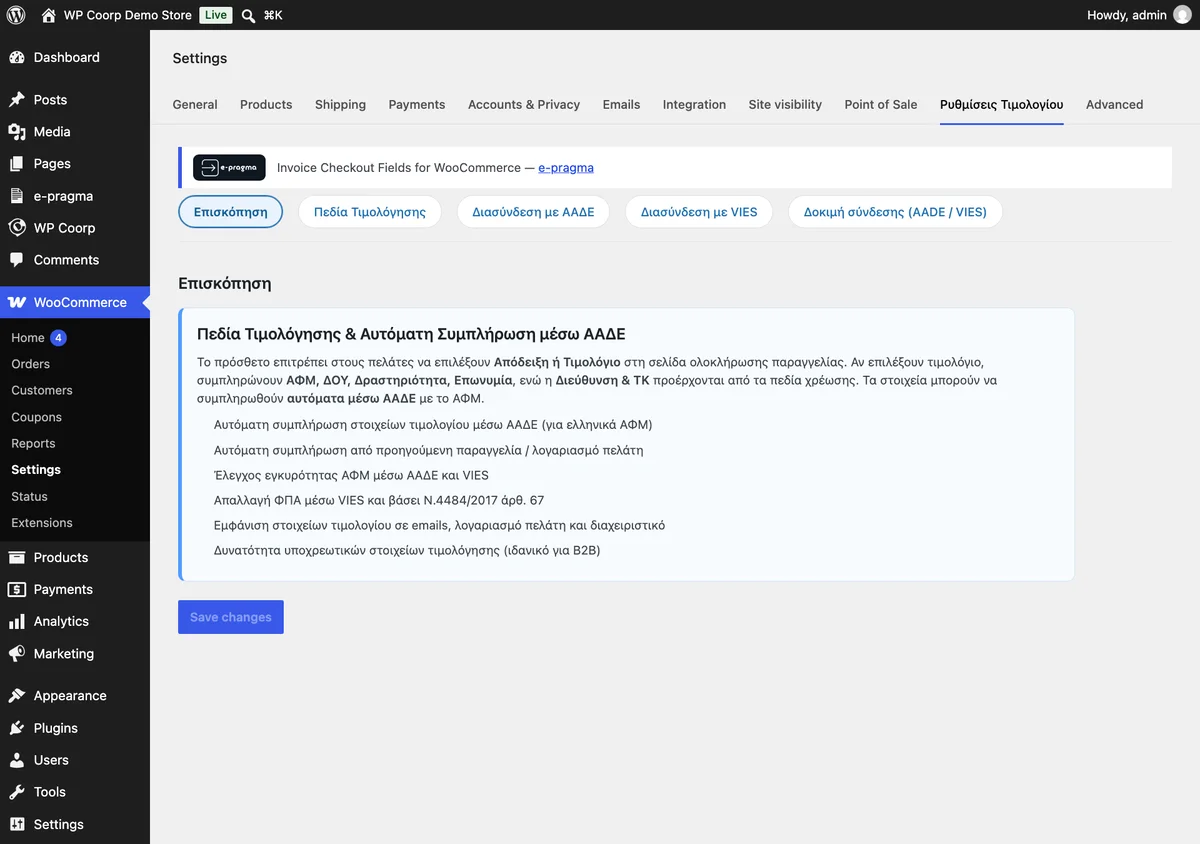
Let customers request an invoice or receipt at checkout, auto‑fill their company details from AADE, and validate VAT numbers through AADE (GSIS) and VIES — all from a clean, grouped admin UI.
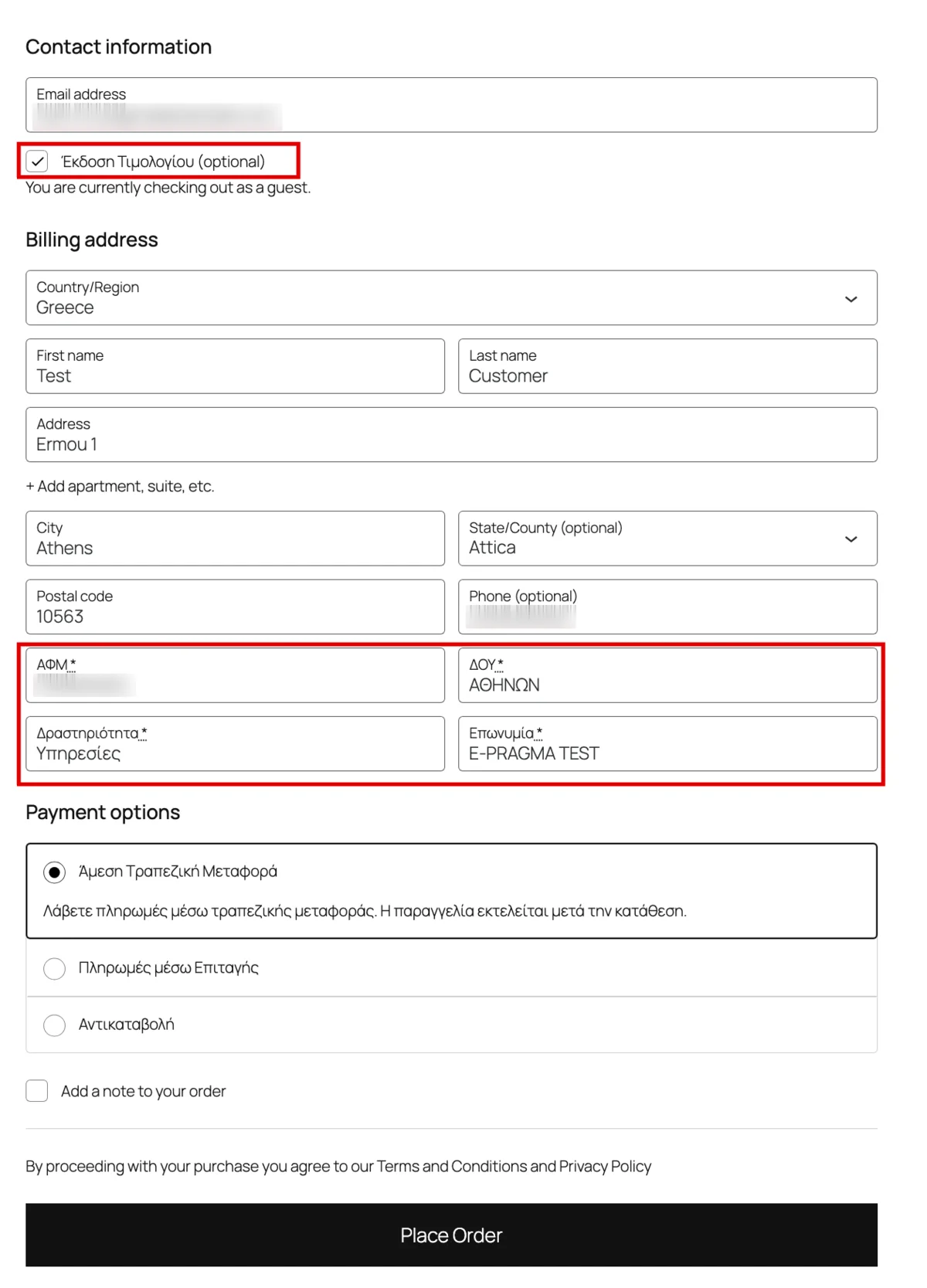
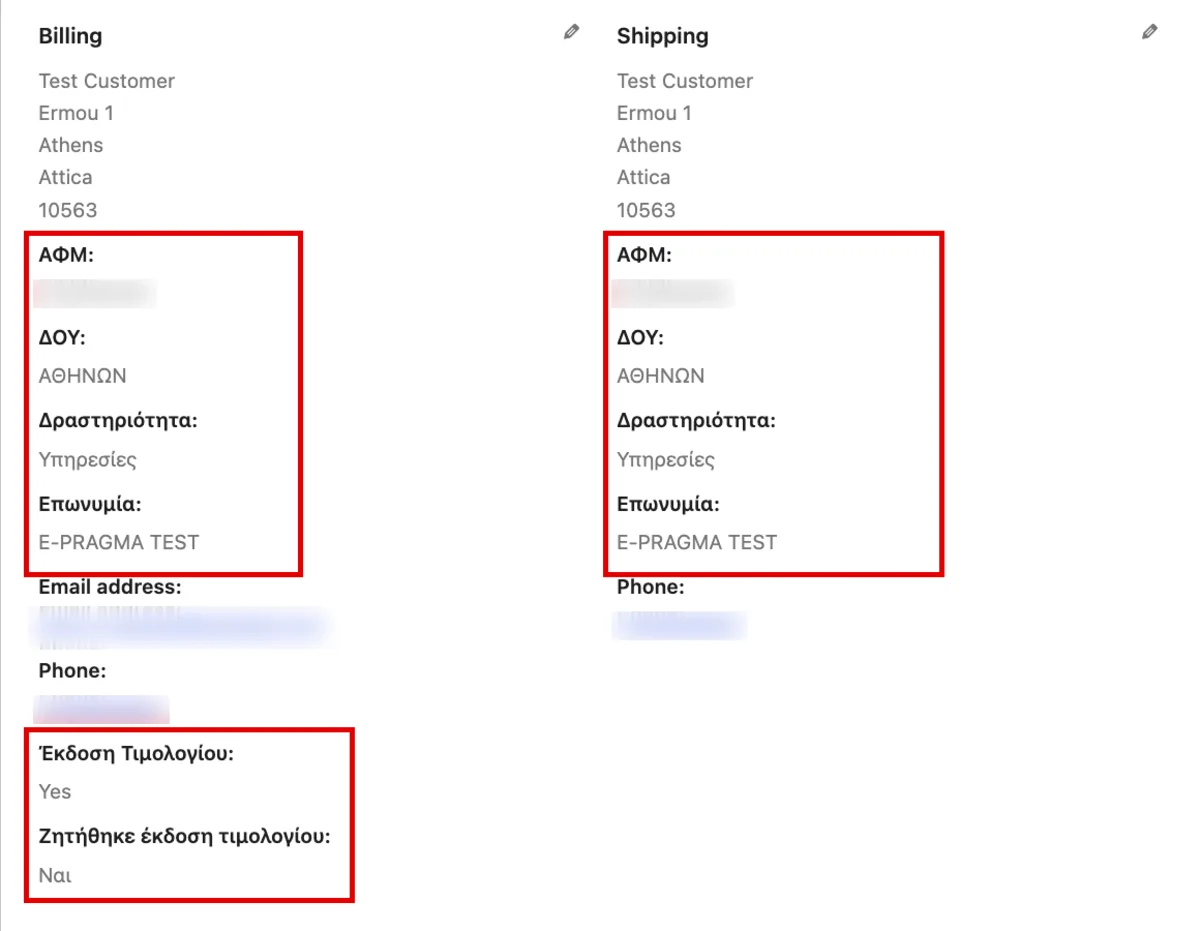
What the red boxes show — the UI added by this module: - Checkout: the invoice/receipt option and the ΑΦΜ/ΔΟΥ/Δραστηριότητα/Επωνυμία fields. - Orders list: the invoice indicator on the order. - Order: the invoice details and the invoice-requested flag.
The module’s own licence page is not part of this flow.
Why shops choose it
- Frictionless invoicing — a single “Τιμολόγιο / Απόδειξη” choice at checkout; the right fields appear only when needed.
- Real validation — Greek ΑΦΜ checked against AADE RgWsPublic2; EU VAT checked against VIES before the order is placed.
- Auto‑fill — company name, ΔΟΥ and activity pulled from AADE when the customer types their ΑΦΜ.
- Compliance‑friendly — VAT exemption via VIES and Ν.4484/2017 άρθ.67 (category‑based removal).
- B2B ready — make invoice fields mandatory; show invoice data in emails, customer account and admin.
At checkout
Customers choose receipt or invoice and enter their VAT and company details when needed. The invoice data is saved with the order and shown on the order and admin screens.
After checkout
Invoice requests are flagged in the WooCommerce orders list, and the submitted VAT/company details are shown on the order.

Admin that’s actually pleasant
Grouped settings, clear guidance, and a built‑in tester.
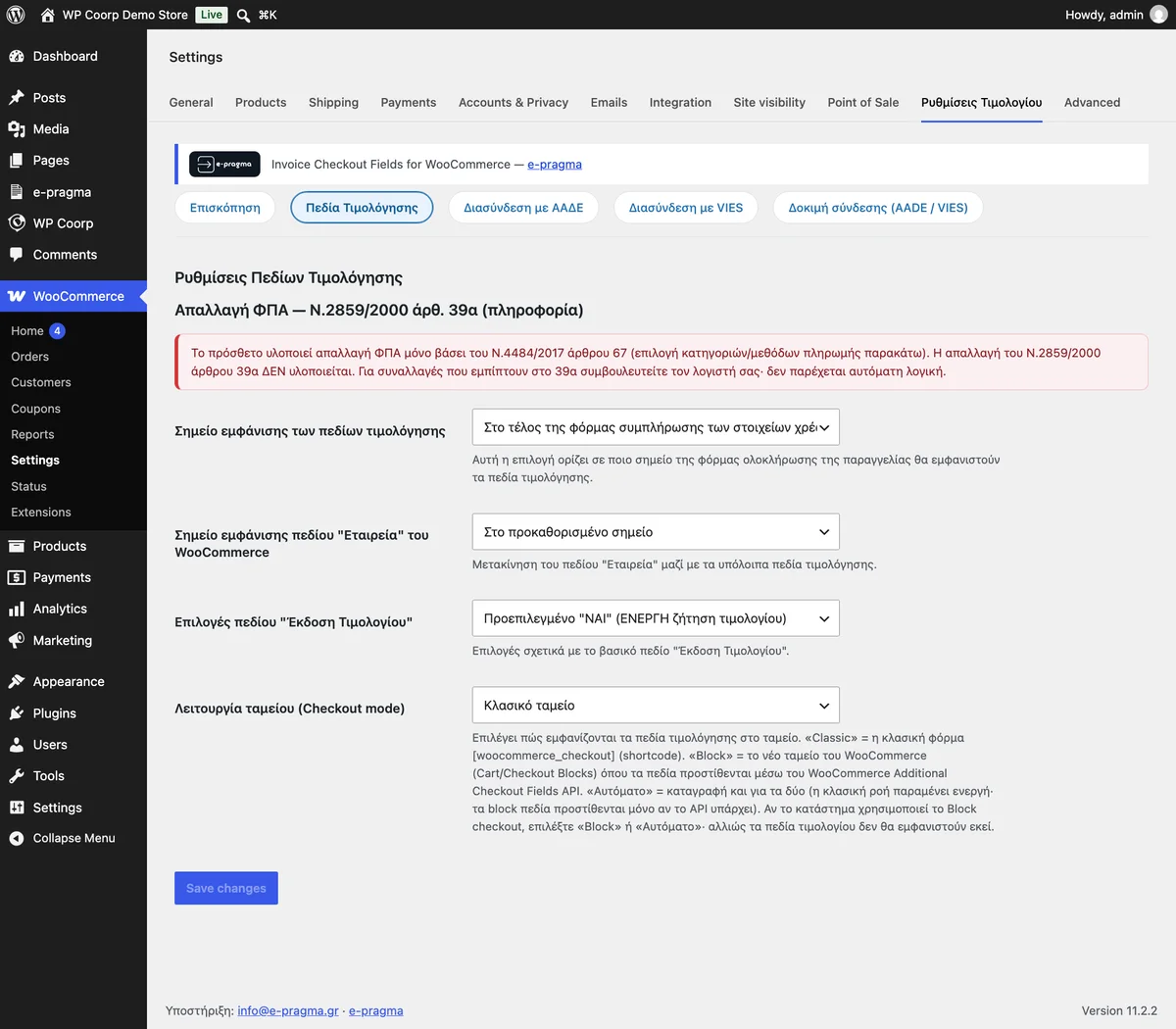
- Πεδία Τιμολόγησης: placement, invoice mode, Checkout mode (Auto / Classic / Blocks), and a clear note about 39α.
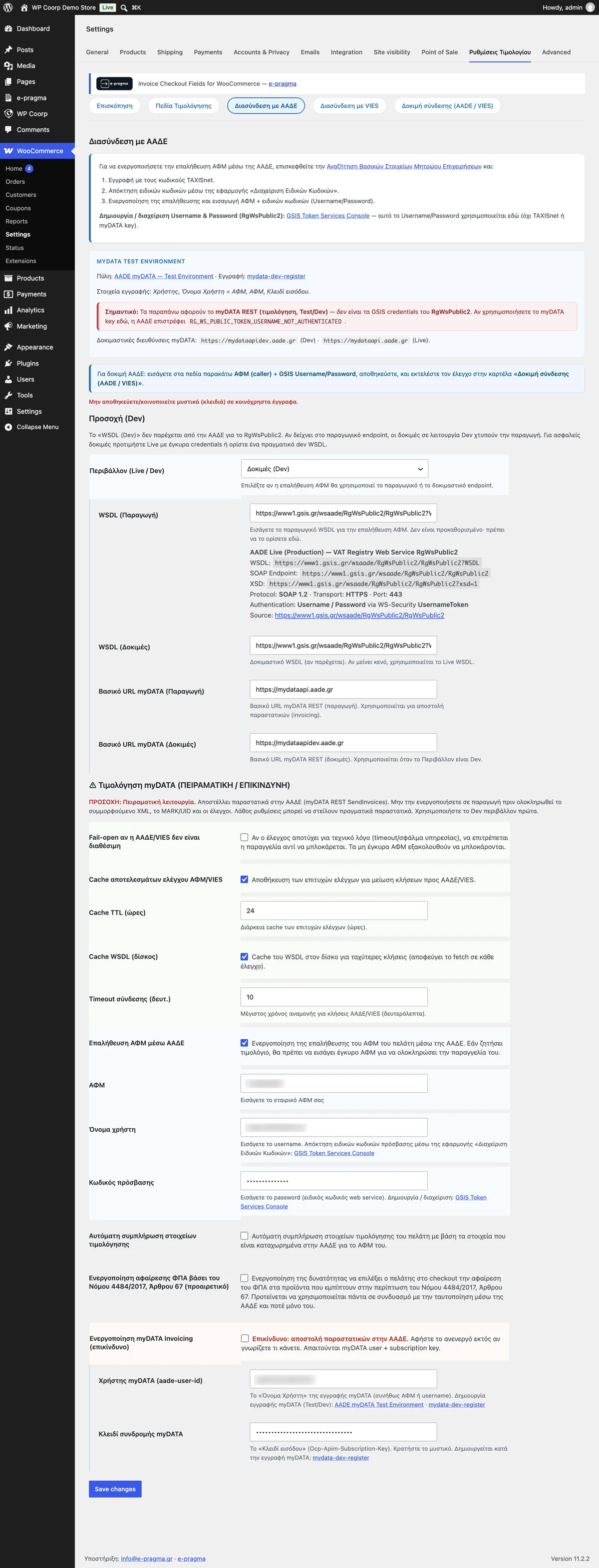
- Διασύνδεση με ΑΑΔΕ: credentials, Environment (Dev/Live), configurable WSDL (Live/Dev) and myDATA base URLs, Fail‑open, cache + TTL, WSDL cache + timeout, and the experimental myDATA block (red, off by default).
- Διασύνδεση με VIES: EU VAT validation/exemption.
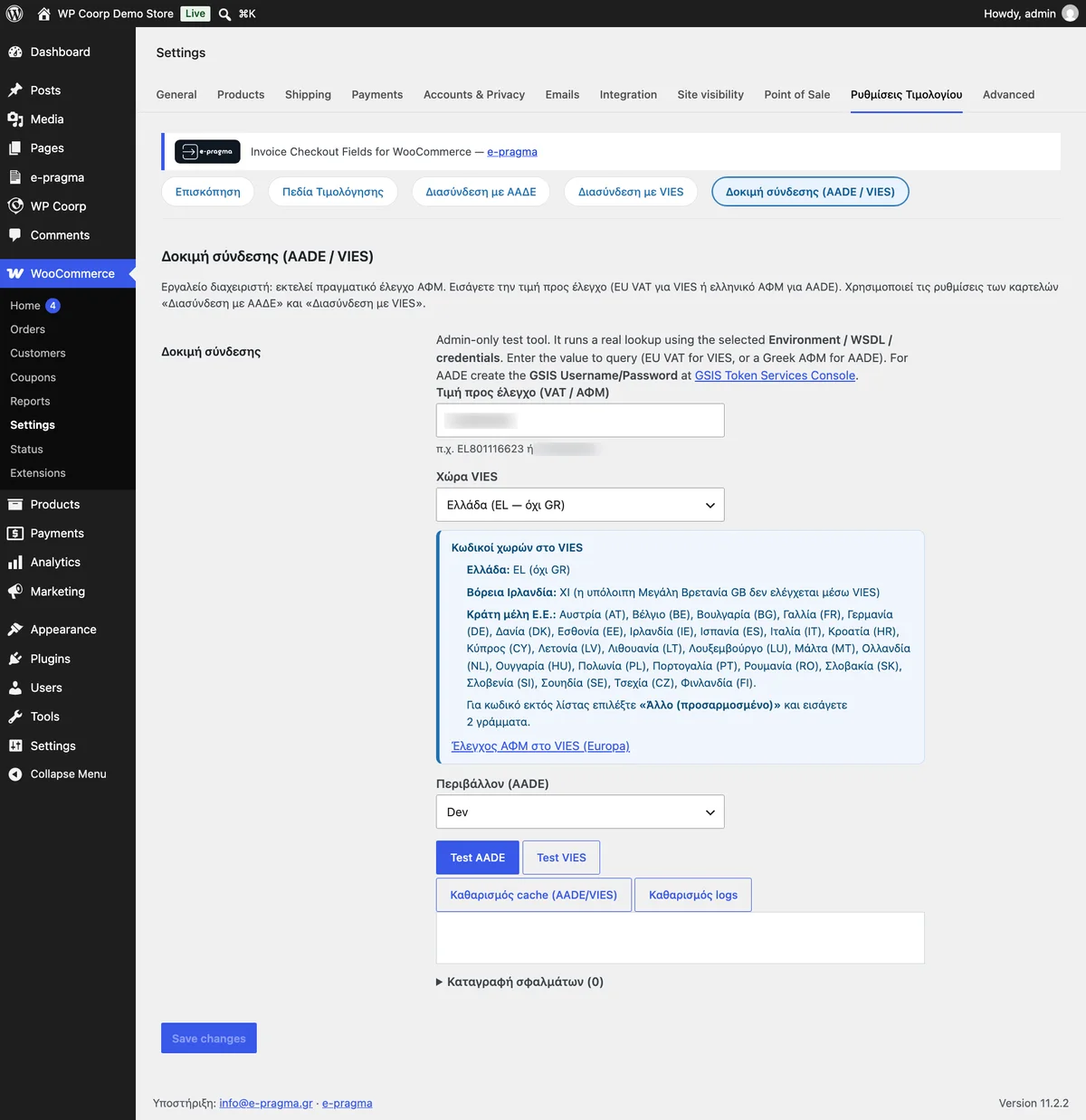
Test before you go live
A dedicated Δοκιμή σύνδεσης (AADE / VIES) tab with a Dev/Live dropdown, human‑readable results (company profile, ΔΟΥ, address, activities), an error log, and clear cache/logs controls.
Built for reliability & safety
- Fail‑open option: an AADE/VIES outage doesn’t block sales (invalid VATs still block).
- Optional caching of successful checks; WSDL disk cache + connection timeout.
- Secrets via
wp-config(EPRAGMA_TIMOLOGIA_AADE_USERNAME/_PASSWORD/_CALLER) instead of the DB. - Error logging viewable in admin.
- Signed, licence‑gated updates via the bundled e-pragma Acme Updater.
Getting the right credentials
- AADE VAT lookup (RgWsPublic2): create the Username/Password at GSIS Token Services Console — https://www1.aade.gr/sgsisapps/tokenservices/protected/displayConsole.htm (special web‑service credentials — not TAXISnet, not the myDATA key). Caller ΑΦΜ required.
- myDATA (invoicing, experimental): registration at https://www.aade.gr/en/mydata-electronic-books/mydata/test-environment · https://mydata-dev-register.azurewebsites.net/
Good to know
- myDATA invoicing is experimental/dangerous (default OFF; minimal payload — not AADE‑compliant yet). Do not enable in production without review.
- Ν.2859/2000 άρθ.39α VAT exemption is not implemented (only Ν.4484/2017 άρθ.67).
- Cart/Checkout Blocks: invoice fields are registered via the Additional Checkout Fields API; full required‑field validation parity is in progress.
- AADE “Dev” targets the production RgWsPublic2 WSDL (AADE publishes no dev WSDL).
Requirements
WordPress 5.6+ (tested to 7.1.5), WooCommerce 5.6+ (tested to 11.2.2, HPOS declared), PHP 7.4+ (tested on 8.3).
e-pragma — https://www.e-pragma.gr